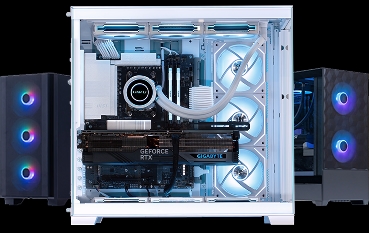


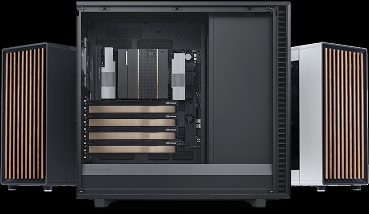


Navigating the prebuilt gaming PC market in Canada requires looking beyond raw component specifications. A graphics card or processor sets a system’s theoretical ceiling, but the supporting architecture determines real-world frame rates and long-term reliability: chassis thermal dynamics, motherboard form factors, power delivery, BIOS memory tuning, and warranty localization.
This buying guide covers the technical factors every buyer should examine before purchasing a prebuilt desktop in 2026, supported by third-party reviewer data and hardware benchmarks.
1. Four Core Standards Every Prebuilt Should Meet
Standardized form-factor components
Avoid systems using proprietary motherboards, non-standard power supply connectors, or custom front-panel headers. Systems built to standard ATX or Micro-ATX specifications allow off-the-shelf upgrades. You can swap components over time instead of replacing the entire chassis.
Verified airflow and thermal headroom
Modern high-end silicon demands unrestricted intake and exhaust. Systems with solid front panels or restrictive air inlets frequently thermal throttle, forcing the CPU and GPU to drop boost clocks to manage heat. Look for open-mesh front panels paired with a 240mm or 360mm AIO liquid cooler, or a large dual-tower air cooler, for mid-to-high-tier processors.
Out-of-the-box BIOS and OS optimization
A prebuilt PC should arrive fully configured for its hardware:
- Memory profiles (XMP/EXPO). DDR5 must have its XMP or EXPO profile enabled in the BIOS to run at full rated speed (e.g., DDR5-5600 or DDR5-6000). Many OEMs ship memory downclocked to JEDEC defaults, silently costing you performance.
- Clean operating system. No trialware, aggressive pre-installed antivirus, or telemetry daemons consuming background CPU cycles.
Domestic warranty protection
Cross-border RMAs are the hidden cost of buying from US-based system integrators: international shipping fees, customs delays, and duty paperwork. A domestic Canadian warranty covering both parts and labour eliminates all of it.
2. Pre-Purchase Prebuilt Checklist
Before finalizing any prebuilt PC purchase, verify the following:
- Motherboard standard. Is it an industry-standard ATX or Micro-ATX board with an open PCIe expansion path, or a custom OEM layout that limits upgrades, cooling, and performance?
- Power supply. Is it a standard ATX 3.0, 80 Plus certified unit with native 12VHPWR/12V-2x6 cabling for modern GPUs, and enough wattage headroom for future upgrades?
- RAM configuration. Is memory running in dual-channel (2×16GB rather than 1×32GB) with XMP or EXPO enabled in the BIOS? Are the modules heatsinked?
- Cooling capacity. Is the CPU on at least a 240mm/360mm AIO or dual-tower air cooler, seated in a high-airflow chassis?
- Warranty logistics. Is parts and labour service performed domestically in Canada, or does every RMA cross an international border?
Ready to Skip the Checklist?
Every Quoted Tech Horizon Series gaming PC ships with standard retail components, XMP/EXPO enabled from the factory, a clean Windows 11 image, and Canadian parts-and-labour warranty coverage, built and supported in Canada.