null

GamingProfessional
About
FAQReviewsAbout Quoted TechWarranty & Returns
Financing
Shop Now

Browse Collection

Explore more

Browse Collection

Explore more

Gaming

Signature Systems

About

Financing

Support

Shop Now
Bag

Cart

Bag

My account

Quoted Tech's diverse pc options, tailored for gamers, professionals, esports teams, enthusiasts, and new gamers to unlock the performance they need

FAQ

Discover answers related to your purchase, warranty and support.

Sales Support

Can I upgrade my PC in the future?

Yes! You are welcome to upgrade your PC anytime in the future. We design our systems with flexibility in mind, ensuring that you can enhance performance as your needs evolve.

Does Quoted Tech offer prebuilt PCs?

Yes! Quoted Tech offers prebuilt PCs that are available for purchase on our Ready to Ship page. If you're looking to get a PC right away and avoid the wait for a custom build, our prebuilt systems are a great option. These PCs are fully assembled, tested, and ready to go, shipping out the next business day.

What system is right for me?

Choosing the right system depends on several key factors, including budget, performance, aesthetics & style, and form factor & footprint. At Quoted Tech, we offer a range of PCs designed to suit different needs and preferences.

Visit our shop page to compare products or contact sales.

Gaming vs. Professional PCs

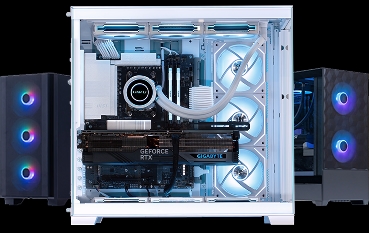
Gaming PCs such as Shield, Frontier, Horizon and Great North are built to maximize performance in gaming scenarios, offering high refresh rates, smooth frame rates, and immersive visuals.


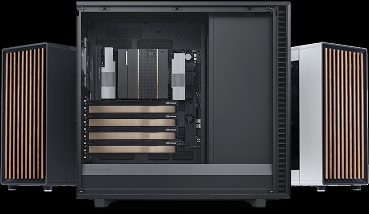
Professional PCs, such as our Quoted One and Quoted Edge lineup, are engineered for tasks that require sustained performance and reliability, including video production, AI workloads, CAD, and software development.

What is enterprise meant for?

Quoted Tech Enterprise workstations that are built specifically for each client’s unique requirements and use cases. Whether it’s for architecture, 3D rendering, video production, or simulation, we configure systems optimized for your workflow and software demands. Learn more

Shipping

How do you ship PCs?

All PCs are securely packaged with drop-proof foam and packing materials to prevent damage during transit. Signature is required upon delivery.

How long will it take to receive my PC?

We are generally able to complete your build with 1-3 weeks depending on the product and demand. This includes parts, assembly, and testing. A more detailed shipping estimate will be provided at checkout.

Refunds and returns

What is your return policy?

PCs from Quoted Tech can be returned within 14 days from the date of delivery. The PC must be in the same condition as it was when it was shipped. A refund will be issued, less a restocking fee Customers may cancel their order at any time before their PC is shipped.


Learn more

What is your cancelation policy?

If a Customer decides to cancel their order within 3 days of purchase, a full refund will be granted within 2 to 7 business days, minus a 3% restocking fee.

Custom Build

Can I make a mistake in custom build?

No — our custom configurator is designed to be intuitive and prevent errors. It automatically adjusts key components like the power supply, case size, and motherboard based on your CPU, GPU, and other choices. This ensures every build you create is fully compatible, balanced, and ready to perform.


Learn more about Quoted Tech Custom Build

Can I request a part that's not listed in custom build?

Yes — but we will need to confirm its compatibility, availability and pricing. This may in turn affect the estimated delivery time.

Can I bring in my own parts?

No — to ensure quality, compatibility, and warranty coverage, all components must be supplied and assembled by Quoted Tech.

Technical Support

Why is there no display on my PC?

Ensure the monitor is powered on and properly connected to the PC. If using a dedicated GPU, ensure the monitor is plugged into the correct GPU port, not the motherboard’s display output. If the issue still persists, test with another monitor to confirm if the issue is with the display itself.

Why is my PC not turning on?

Ensure that the power outlet is functioning by testing it with another device. Confirm that all power cables (both to the wall and inside the PC) are securely connected. Ensure the power supply switch at the back of the PC is turned on.

Explore Products

Shield

From

$1399 CAD
Need more help?
Discover in-depth articles on our products, service, and troubleshooting
View Knowledge Base